
Article
The Complete Google Business Profile Guide for NJ Businesses
Every step of optimizing a Google Business Profile in priority order, with a checklist, a myths table and the New Jersey specifics most guides skip.
By MediaScher
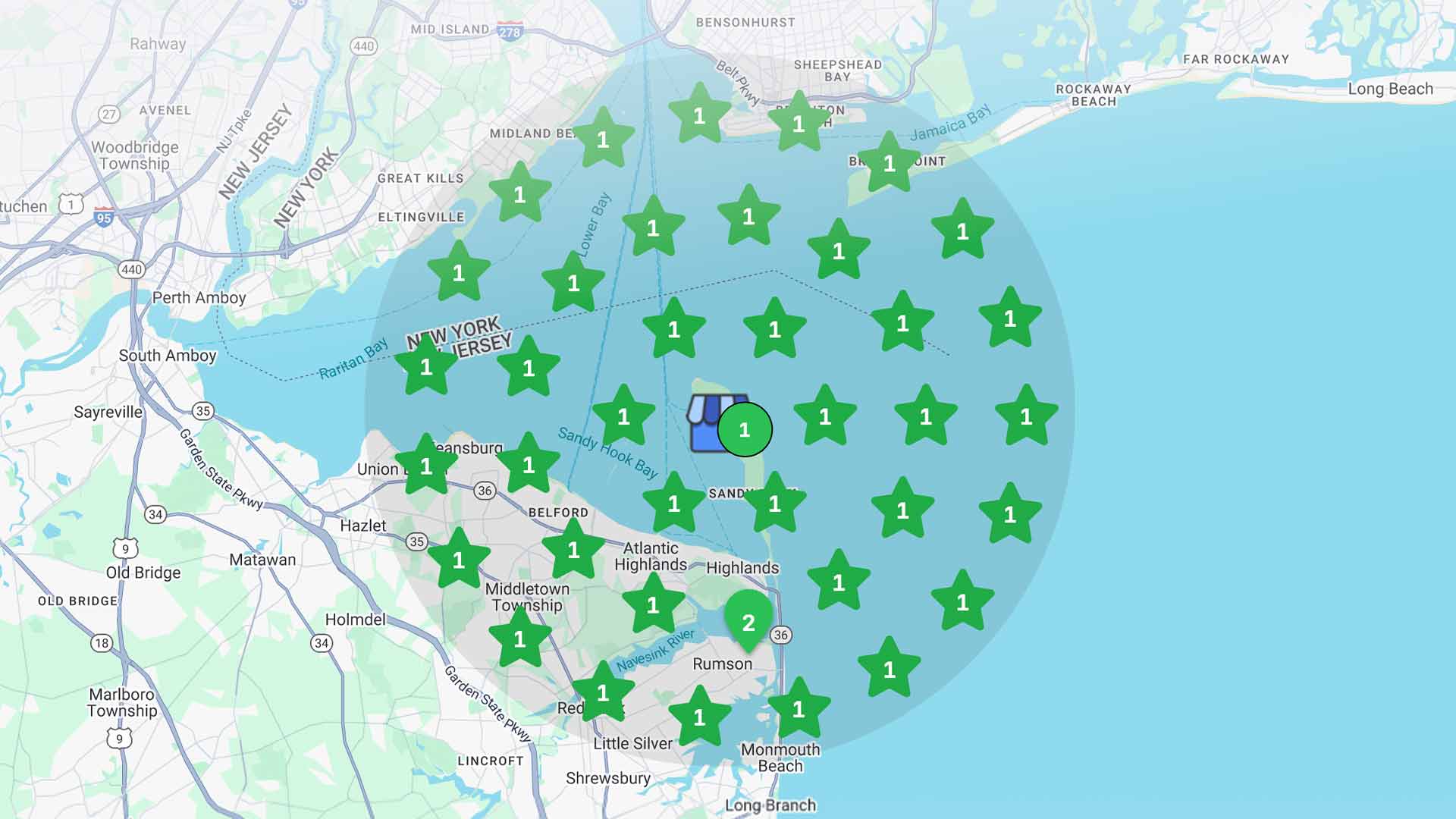
Your Google Business Profile is often the first thing a customer sees when they search for a business like yours. It appears in the map pack, on Google Maps and in AI-generated answers, usually before your website.
This guide covers every step in priority order, with a checklist you can work through this week.
How Google Decides Who Ranks in the Map Pack
Google uses three factors to rank local results:
- Relevance: how well your profile matches what someone searched for. A complete, accurate profile improves this.
- Distance: how far your business is from the searcher or the location in their search. You cannot change this.
- Prominence: how well-known and trusted your business is, based on reviews, ratings, links, mentions and your wider web presence.
You cannot pay Google for a higher map ranking. Everything in this guide works on relevance and prominence.
Step 1: Claim and Verify Your Profile
Search for your business on Google or Google Maps. If a profile already exists, claim it. If not, create one through Google Business Profile.
Verification confirms you own the business. Google may ask for a phone call, text, email or video recording. Video verification usually means showing your signage, your location and proof that you run the business.
Step 2: Choose Storefront or Service Area
- Storefront: customers come to you (restaurants, salons, shops). Show your address.
- Service-area business: you go to customers (contractors, mobile services). Hide your address and list the towns or counties you serve.
- Hybrid: you have a location and also travel to customers. Show your address and add service areas.
Getting this right affects where you appear and whether your profile follows Google's guidelines.
Step 3: Pick the Right Categories
Your primary category is one of the strongest relevance signals on your profile.
- Choose the most specific primary category available: "Italian restaurant" rather than "Restaurant", "Day spa" rather than "Spa".
- Add secondary categories only for services you actually provide. Google allows up to nine.
- Check which categories your top-ranking competitors use. You can see a competitor's primary category on their profile.
Step 4: Make Your Name, Address and Phone Identical Everywhere
Use exactly the same business name, address and phone number on your profile, your website, Yelp, Apple Maps, Facebook and every directory listing.
- Use your real business name. Adding keywords such as "Best Pizza Old Bridge" to the name breaks Google's guidelines and can get your profile suspended.
- Keep the format consistent: if your website says "Suite 200B", do not write "Ste 200" elsewhere.
- If you have moved, update every old listing. Old addresses on directories are one of the most common reasons local rankings stall.
Step 5: Complete Every Field
Google can only rank you for what your profile tells it.
- Business description: up to 750 characters. Put what you do and where you do it in the first 250 characters, which is what most people see.
- Services and products: list each one with a short description. These help you appear for specific searches.
- Attributes: add the ones that apply, such as outdoor seating, wheelchair access, women-owned or free Wi-Fi.
- Links: add your website, booking link, menu or order link where relevant.
- Opening date: add it if you are new; it helps establish the profile.
Step 6: Set Accurate Hours, Including Seasonal Hours
Wrong hours cost you visits and lead to frustrated reviews.
- Set regular hours and add special hours for every holiday.
- For Shore and seasonal businesses: update your hours before Memorial Day and again after Labor Day. Customers searching in May need summer hours, not winter ones.
- Mark temporary closures immediately, and remove the closure when you reopen.
Step 7: Add Real Photos and Video Every Month
Photos are what most customers look at before they decide to visit. At One Willow, a New Jersey seafood raw bar, "one willow photos" is one of the restaurant's own top search queries.
What to upload:
| Photo type | What it shows | How often |
|---|---|---|
| Exterior | Your storefront and signage, so customers recognize you on arrival | Once, then seasonally |
| Interior | The space, layout and atmosphere | Every few months |
| Products or dishes | What customers actually buy | Monthly |
| Team at work | The people behind the business | Every few months |
| Short videos | The experience in motion (15 to 30 seconds) | Monthly |
Use real, well-lit photos, not stock images. Professional photography makes a visible difference when customers compare you with the business next door.
Step 8: Publish Google Posts
Posts show offers, events, news and updates directly on your profile.
- Post at least every one to two weeks.
- Use a clear image and a button such as "Call", "Book" or "Learn more".
- Promote what is timely: a seasonal menu, a holiday event, a new service.
Step 9: Build a Steady Flow of Reviews
Review count, rating and recency all affect prominence, and they shape the decision for every customer who reads them.
- Ask every satisfied customer. Use your direct review link in follow-up texts, emails, receipts or a QR code at the counter.
- Ask consistently. A steady flow each month counts for more than a burst followed by silence.
- Reply to every review, positive and negative, within a few days.
- Never buy reviews or offer rewards for them. Both break Google's policies and can lead to reviews being removed or the profile being restricted.
A simple reply framework for a negative review: thank them, acknowledge the specific issue, explain what you are doing about it, and invite them to contact you directly.
Step 10: Connect Your Profile to Your Website
Your website supports your profile's relevance and prominence.
- Link to the most relevant page, such as your location page or homepage.
- Show the same name, address, phone and hours on your website.
- Add LocalBusiness markup (structured data) with matching details.
- Create a page for each location or service area you want to rank in.
Profile work and website SEO reinforce each other. When both say the same thing, Google trusts both more.
Step 11: Track the Numbers That Matter
Open the Performance section of your profile each month and track:
- Calls from your profile.
- Direction requests, a strong sign someone is coming.
- Website clicks.
- Searches, including which terms triggered your profile.
Notes by Business Type
| Business type | Focus on |
|---|---|
| Restaurants and bars | A text menu, food and interior photos, reservation or order links, holiday hours and weekly posts about specials and events |
| Salons, spas and wellness | Booking link, a services list with descriptions, team photos and prompt replies to every review |
| Contractors and home services | Service-area setup, a full list of services, project photos from real jobs and reviews that mention the work done |
| Retail shops | Products, in-store photos, seasonal hours and posts about new arrivals and sales |
| Multi-location businesses | One profile per location, identical brand details, and photos and posts specific to each location |
| Event venues | Event-space photos and video, "event venue" as a secondary category where it applies, and posts for upcoming events |
What to Do If Your Profile Is Suspended
A suspended profile disappears from Maps and search. Common causes include keywords added to the business name, a virtual office or PO box used as an address, repeated edits to core details, or details that do not match the real business.
- 01Find the cause. Check your name, address, category and recent edits against Google's guidelines.
- 02Fix it before you appeal. Remove keywords from the name, correct the address and undo any edits that broke the guidelines.
- 03Gather proof. Photos of signage, a utility bill or business license, and a photo of your storefront if you have one.
- 04Submit the appeal through Google Business Profile with your evidence.
- 05Do not create a new profile while the appeal is open. Duplicate profiles make the situation worse.
The Google Business Profile Priority Checklist
Work through it in this order. The top items have the biggest effect for the least effort.
| Priority | Task | Effort | Impact |
|---|---|---|---|
| 1 | Claim and verify the profile | Low | Critical |
| 2 | Set the most specific primary category | Low | High |
| 3 | Match name, address and phone to your website and directories | Medium | High |
| 4 | Set regular, holiday and seasonal hours | Low | High |
| 5 | Complete description, services, products and attributes | Medium | High |
| 6 | Upload real photos and video | Medium | High |
| 7 | Start a monthly review request routine | Medium | High |
| 8 | Reply to every existing review | Low | Medium |
| 9 | Publish posts every one to two weeks | Low | Medium |
| 10 | Add LocalBusiness markup and a matching location page on your website | Medium | Medium |
| 11 | Review Performance data monthly | Low | Medium |
Myths vs. What Actually Matters
| Common advice | What actually matters |
|---|---|
| "Add your city to your business name." | It breaks Google's guidelines and risks suspension. Use your real name and put location detail in your description and website. |
| "Geotag your photos to rank higher." | Google has not confirmed geotagging as a ranking factor. Spend the effort on real, recent, high-quality photos. |
| "Post every day." | Consistency matters more than volume. Every one to two weeks is enough for most businesses. |
| "Total review count is all that counts." | Recency and steady flow matter too. Twenty reviews this year can do more than two hundred from years ago. |
| "Set it up once and leave it." | Profiles that stay active, with new photos, posts and replies, keep their visibility. |
| "You can pay Google to rank higher in the map pack." | Ads can appear above results, but organic map rankings cannot be bought. |
A Monthly Maintenance Routine
- Week 1: Upload new photos or a short video. Review last month's Performance data.
- Week 2: Publish a post. Send review requests to recent customers.
- Week 3: Reply to all new reviews. Check that hours and details are still accurate.
- Week 4: Publish a second post. Check for upcoming holidays or seasonal hour changes.
This takes about an hour a week. If you do not have that hour, it is the kind of work an agency can take off your plate.
Frequently Asked Questions
Is a Google Business Profile free?
Yes. Creating and managing a profile costs nothing. You pay only if you hire someone to optimize and manage it for you.
How much does it cost to have someone optimize it?
A one-time optimization typically costs a few hundred dollars. Ongoing management ranges from under $100 to over $1,000 per month, depending on competition, the number of locations and whether photo and video production is included.
How long does it take to rank higher on Google Maps?
Fixes to categories, details and hours can improve visibility within a few weeks. Gains from reviews, photos and regular activity usually build over two to three months.
Can I pay Google to rank higher on Maps?
No. You can run ads that appear above or among results, but organic map pack rankings are based on relevance, distance and prominence.
What is the difference between Google My Business and Google Business Profile?
They are the same product. Google renamed Google My Business to Google Business Profile in 2021.
Why is my profile not showing up?
The most common causes are an unverified profile, a broad or wrong category, inconsistent business details across the web, or a business located far from where the searcher is. A suspended profile will also disappear from results.
Want It Done for You?
MediaScher's Google Business SEO service handles every step in this guide, including professional photos and video from our in-house team. Not sure where your profile stands? The free Marketing Score shows the three services that would move your business most, in about two minutes.
Next Step
Put these ideas to work.
See where your marketing stands today, or talk it through with our team.